How to Log In to the Backtesting System
Our backtesting system connects directly to Telegram using the official Telegram API. This allows us to securely access message history for analysis.
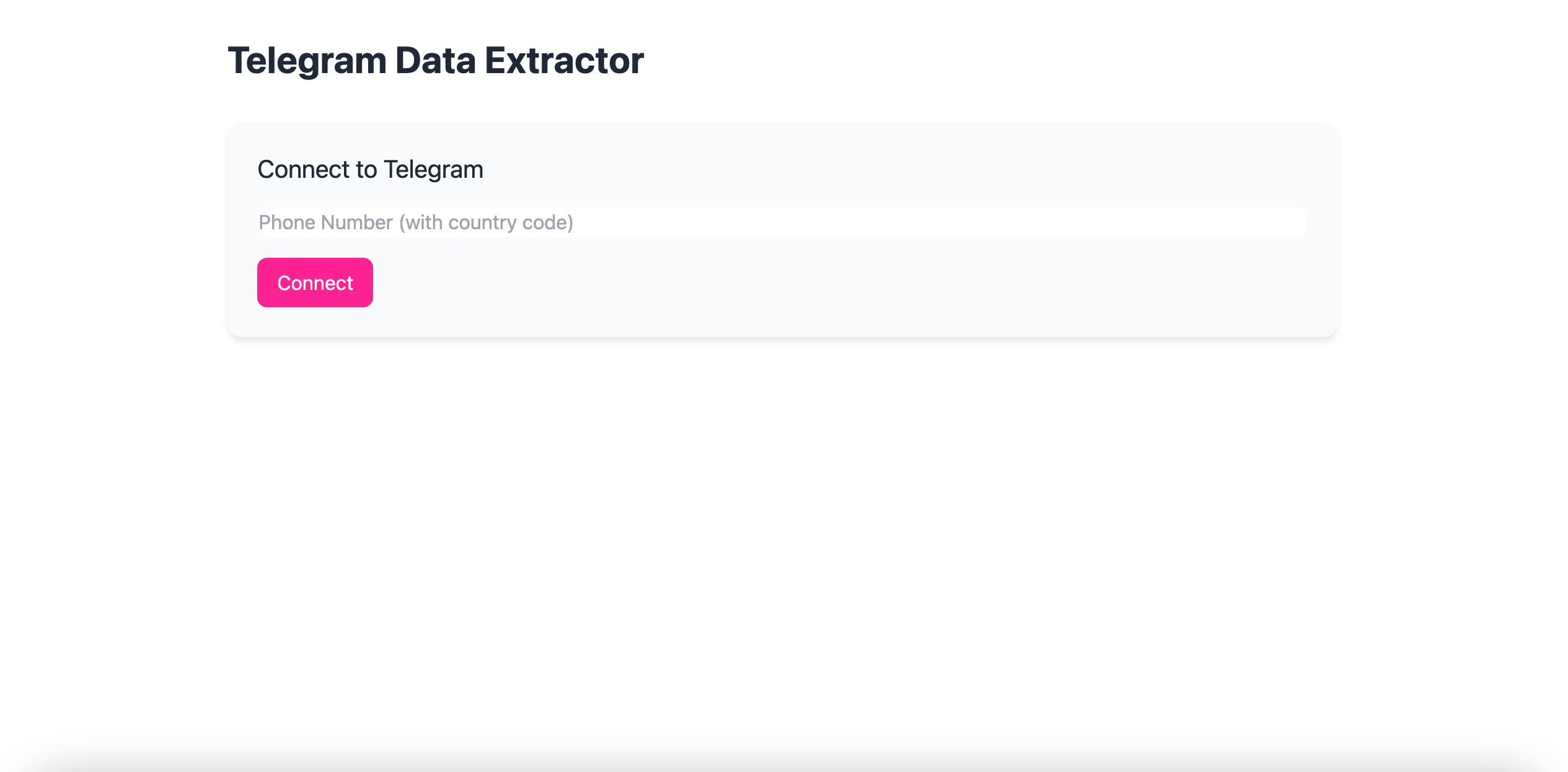
Step 1: Connect Your Telegram Account
On the login screen, enter your full phone number, including:
-
A leading +
-
Your country code
-
No spaces or special characters
Example:
+12345678910
Step 2: Enter the Telegram Verification Code
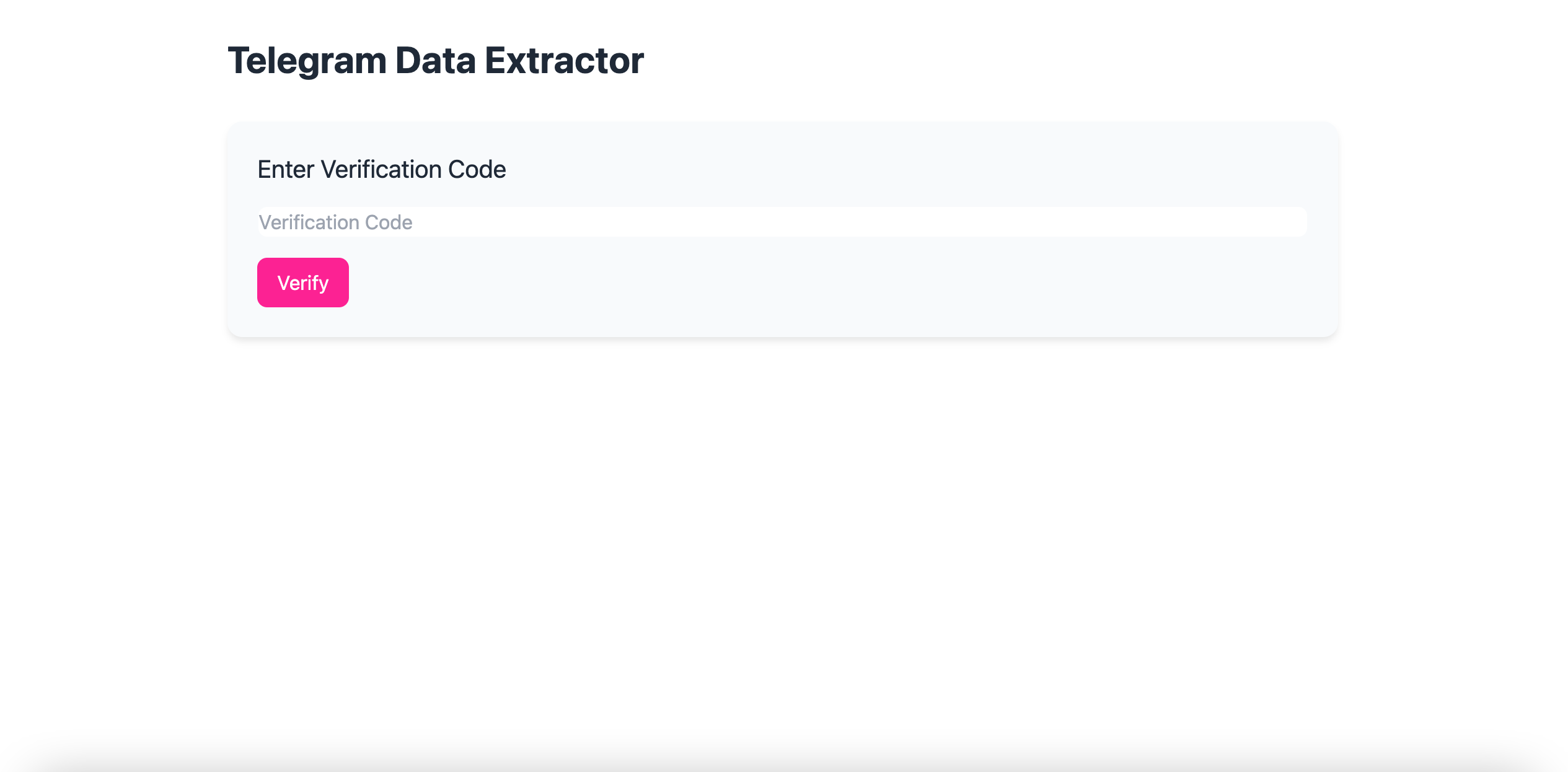
Telegram will send you a one-time verification code inside the Telegram app.
⚠️ Important:
-
The code is not sent via SMS
-
It will appear as a message from Telegram in your app
Enter the code and click Verify.
If you do not receive a code, please see our
👉 Telegram Login Troubleshooting & Security article for more information about Telegram’s security protocols.
Step 3: Select a Channel and Date Range
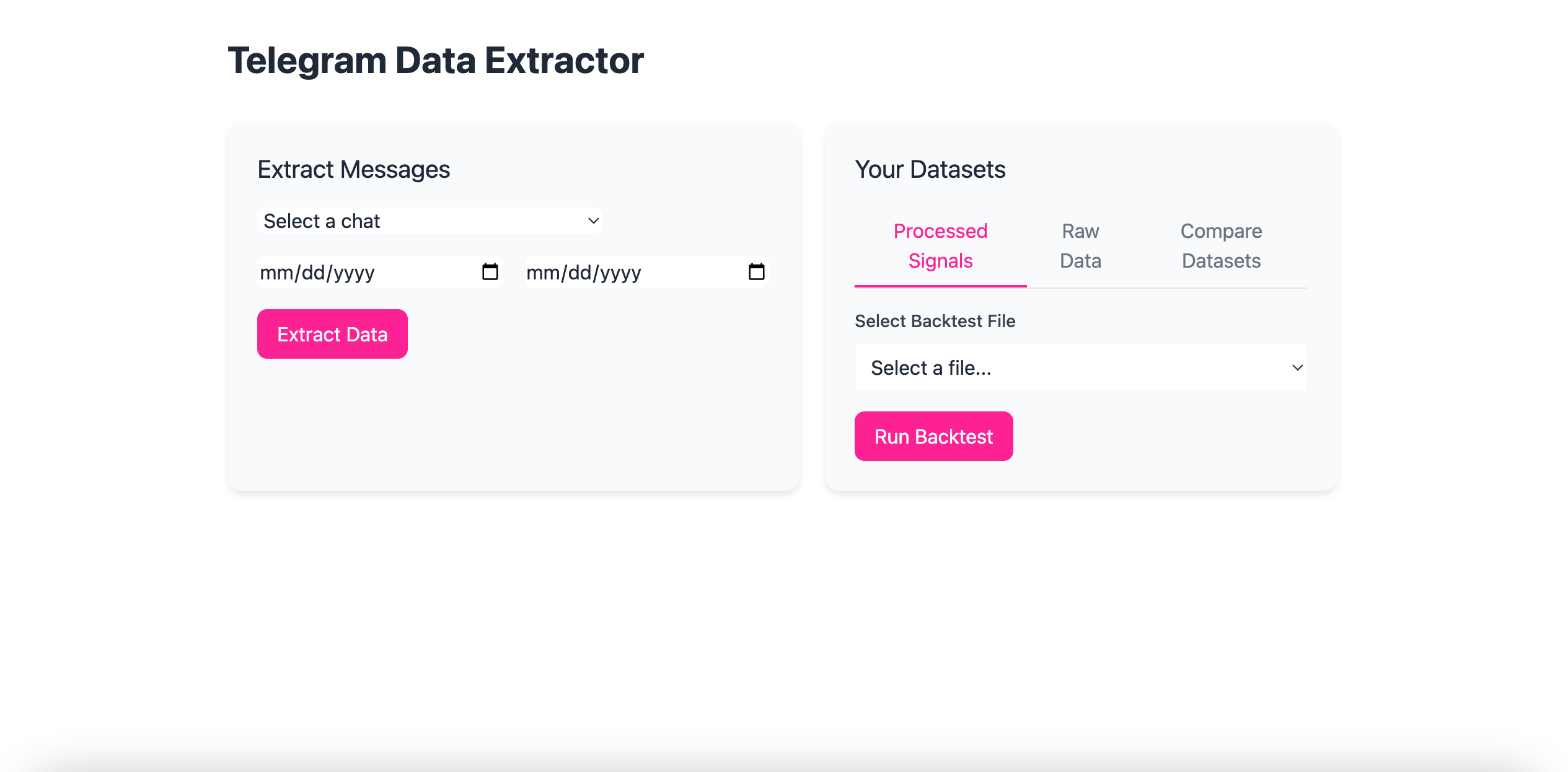
Once logged in, you’ll see the backtesting dashboard.
-
Use the dropdown menu to select a Telegram channel
-
Choose a start date and end date
-
Click Extract Data to begin
-
Once you extract the first dataset, you'll see a dropdown with previously extracted datasets, as well as a preview when the dataset is loaded.
✅ Best Practice:
We strongly recommend testing one month at a time.
Why?
-
Telegram limits long-running data requests
-
Large date ranges can cause Telegram to disconnect your session
-
Messages are parsed serially, so bigger datasets take longer to process
Shorter date ranges are faster, more reliable, and reduce errors.