How to Edit Parsed Trades in the Backtester
Some Telegram signals contain typos or obvious pricing errors. To handle this, the backtester allows you to view and edit parsed trade data before re-running a test.
Follow the steps below to access the dataset and make changes.
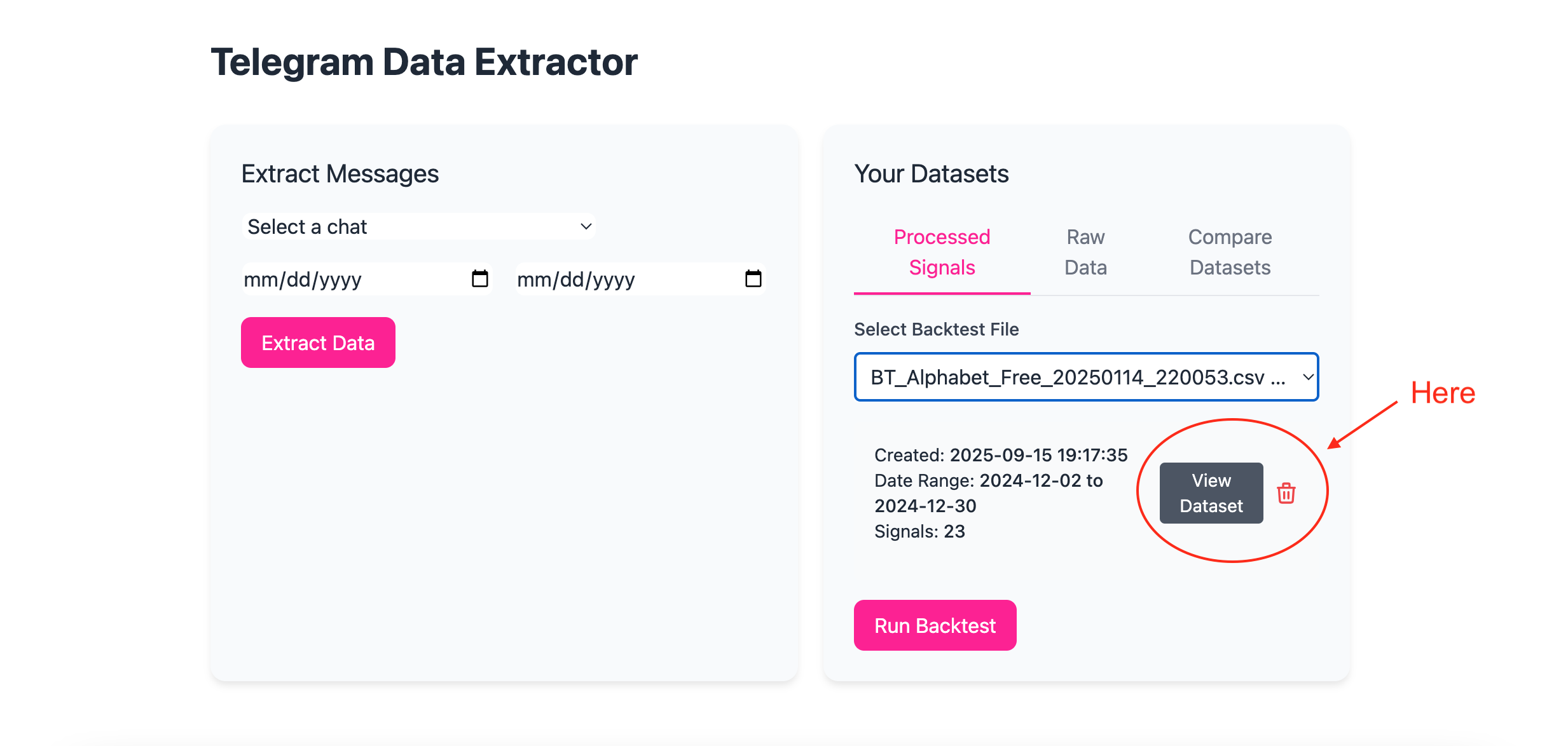
Step 1: Open the Parsed Dataset
Once a dataset has been extracted and loaded into the backtest module:
-
Locate the gray View Dataset button
-
Click View Dataset
The dataset will open in a new browser tab, displaying all parsed trades in table form.
Step 2: Locate the Trade You Want to Edit
In the dataset view, each parsed trade is shown as a row.
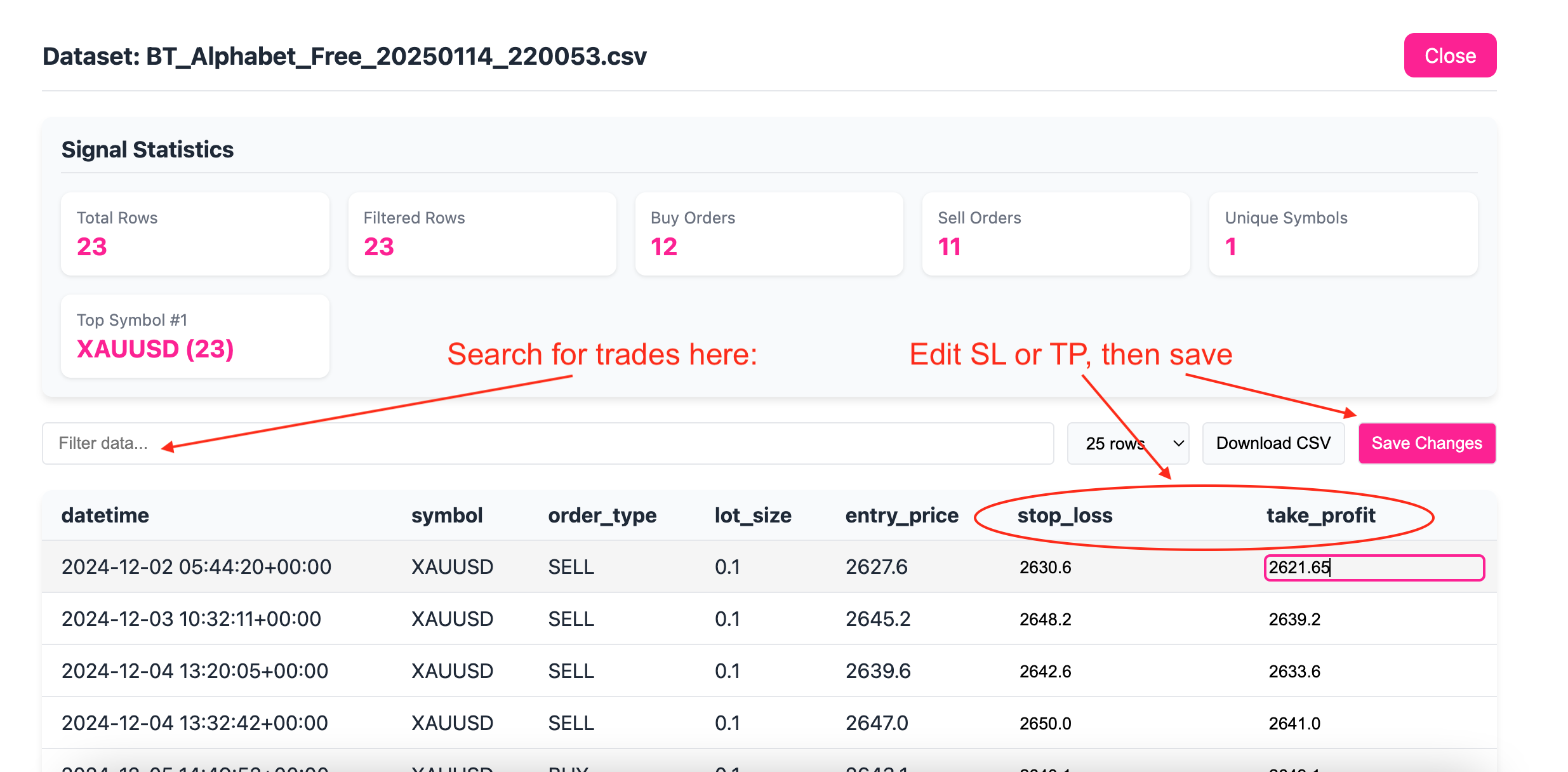
You can find a specific trade by:
-
Timestamp
-
Symbol
-
Entry price
-
Direction (buy/sell)
-
Stop loss or take profit values
Use search, sorting, or scrolling to locate the trade you want to modify.
Step 3: Edit the Stop Loss or Take Profit
-
Click directly on the SL or TP value in the table
-
The value will become editable
-
Enter the corrected price
-
Click anywhere outside the field to confirm the change
At this stage, the value is updated locally but not yet saved.
Step 4: Save Your Changes
After making one or more edits:
-
Click the Save button
-
The dataset is updated with your corrected values
⚠️ If you leave the page without saving, your changes will be lost.
Step 5: Re-Run the Backtest
Once your edits are saved:
-
Return to the backtest module
-
Click Run Test
-
The backtester will use the updated dataset
You do not need to reconnect to Telegram or re-extract messages.
Important Notes
-
Only Stop Loss (SL) and Take Profit (TP) values are editable
-
Original raw Telegram data is preserved
-
Changes apply only to your current dataset
-
Editing trades will change backtest results
This feature is intended to correct clear and obvious data errors, not to optimize performance after the fact.